Mastering Project Management: Essential Tools for Success

Mastering Project Management: Essential Tools for Success
In today’s fast-paced business landscape, successful project completion is not merely an aspiration but a fundamental requirement for growth and competitive advantage. The complexity of modern projects, coupled with the demands of remote work and global teams, necessitates a robust framework supported by effective project management tools. These tools are no longer just optional aids; they are indispensable assets that streamline workflows, foster collaboration, and provide invaluable insights into project progress and potential bottlenecks. This comprehensive guide will delve into the world of essential project management tools, exploring their functionalities, benefits, and how to strategically implement them to ensure your projects consistently hit their targets.
The journey from project initiation to successful delivery is often fraught with challenges, including scope creep, communication breakdowns, resource misallocation, and missed deadlines. Without the right technological support, these obstacles can quickly derail even the most meticulously planned initiatives. This is where dedicated project management tools come into play, offering solutions that range from simple task tracking to sophisticated portfolio management. By leveraging the power of these platforms, organizations can achieve greater transparency, enhance accountability, and ultimately, drive superior project outcomes.
The Evolving Landscape of Project Management
The field of project management has undergone a dramatic transformation over the past few decades. What was once primarily a manual process, relying heavily on spreadsheets and physical whiteboards, has evolved into a highly digitized and integrated discipline. The advent of cloud computing, artificial intelligence, and sophisticated data analytics has significantly impacted how projects are planned, executed, and monitored. Consequently, the demands on project management tools have also grown, requiring them to be more intuitive, collaborative, and capable of handling increasingly complex data sets.
Today’s project managers face the daunting task of balancing multiple projects, managing diverse teams (often distributed globally), and adapting to rapidly changing market conditions. The traditional waterfall methodology, while still relevant for certain types of projects, has been complemented, and in many cases, superseded by agile and hybrid approaches that prioritize flexibility, iterative development, and continuous feedback. This shift necessitates project management tools that can support these dynamic methodologies, offering features like Kanban boards, Scrum Sprints, and real-time collaboration.
Moreover, the emphasis has shifted from merely tracking tasks to understanding the broader strategic impact of each project. Modern project management tools are designed not just to manage individual tasks but to provide a holistic view of project portfolios, resource utilization, and financial performance. This strategic alignment ensures that projects are not only completed on time and within budget but also contribute meaningfully to the organization’s overarching goals. Understanding this evolving landscape is crucial for selecting and effectively utilizing the right tools for your team.
Why Invest in Dedicated Project Management Tools?
The benefits of implementing dedicated project management tools extend far beyond simple task organization. They are foundational to building a more efficient, transparent, and successful project-oriented organization. Here are some key reasons why investing in these tools is a strategic imperative:
Enhanced Communication and Collaboration
One of the biggest hurdles in any project is effective communication. Misunderstandings, delayed information, and fragmented discussions can lead to costly errors and missed deadlines. Project management tools centralize communication, providing platforms for real-time chat, file sharing, and discussion threads tied directly to specific tasks or projects. This ensures that all team members, regardless of their location, are on the same page and have access to the latest information. Features like @mentions, notifications, and shared calendars significantly reduce communication friction and foster a more collaborative environment.
Improved Task Management and Workflow Automation
Breaking down complex projects into manageable tasks is a core principle of project management. Dedicated tools excel at this, allowing for detailed task creation, assignment, prioritization, and dependency mapping. Many platforms also offer workflow automation capabilities, reducing manual effort for repetitive tasks. For instance, automatically assigning a task to the next team member once a preceding task is marked complete. This not only saves time but also minimizes human error and ensures a smoother progression through project phases. Efficient task management is a cornerstone of effective project management tools.
Better Resource Allocation and Management
Resources – human, financial, and material – are finite. Mismanaging them can lead to burnout, budget overruns, and project delays. Project management tools provide robust features for resource allocation, allowing managers to see who is working on what, their current workload, and their availability. This visibility enables optimal distribution of tasks, prevents over-allocation, and helps in identifying potential resource bottlenecks before they become critical issues. Strategic resource management is a key differentiator that superior project management tools offer.
Real-time Progress Tracking and Reporting
Knowing the current status of a project at any given moment is critical for proactive decision-making. Project management tools offer dashboards, reports, and visual representations (like Gantt charts and Kanban boards) that provide real-time insights into project progress, budget adherence, and potential risks. This transparency allows stakeholders to quickly assess project health, identify deviations from the plan, and take corrective action promptly. The ability to generate comprehensive reports effortlessly saves significant time and provides data-driven insights for future planning.
Risk Management and Issue Resolution
Every project carries inherent risks. Effective project management tools often include features for identifying, tracking, and mitigating risks. They allow teams to log issues, assign ownership, and monitor their resolution, ensuring that potential problems are addressed systematically and do not escalate into major impediments. This proactive approach to risk and issue management is invaluable for maintaining project stability and ensuring successful outcomes.
Key Features to Look for in Project Management Tools
With a plethora of project management tools available on the market, choosing the right one can be overwhelming. To make an informed decision, it’s essential to understand the core features that define a truly effective platform. Here’s a breakdown of what to prioritize:
Intuitive User Interface (UI) and User Experience (UX)
A powerful tool is only effective if people actually use it. A clean, intuitive UI and a smooth UX are paramount. The tool should be easy to navigate, with a shallow learning curve, allowing team members to quickly adopt it without extensive training. Complex interfaces can lead to frustration and low adoption rates, undermining the very purpose of the investment in project management tools.
Task Management and Scheduling
At its core, a project management tool must excel at task management. Look for features such as:
- Task creation and assignment: Easy to create tasks, assign them to team members, and set due dates.
- Subtasks and dependencies: Ability to break down tasks into smaller, manageable subtasks and define relationships between them.
- Prioritization: Tools to mark tasks by urgency or importance.
- Recurring tasks: For routine activities that happen regularly.
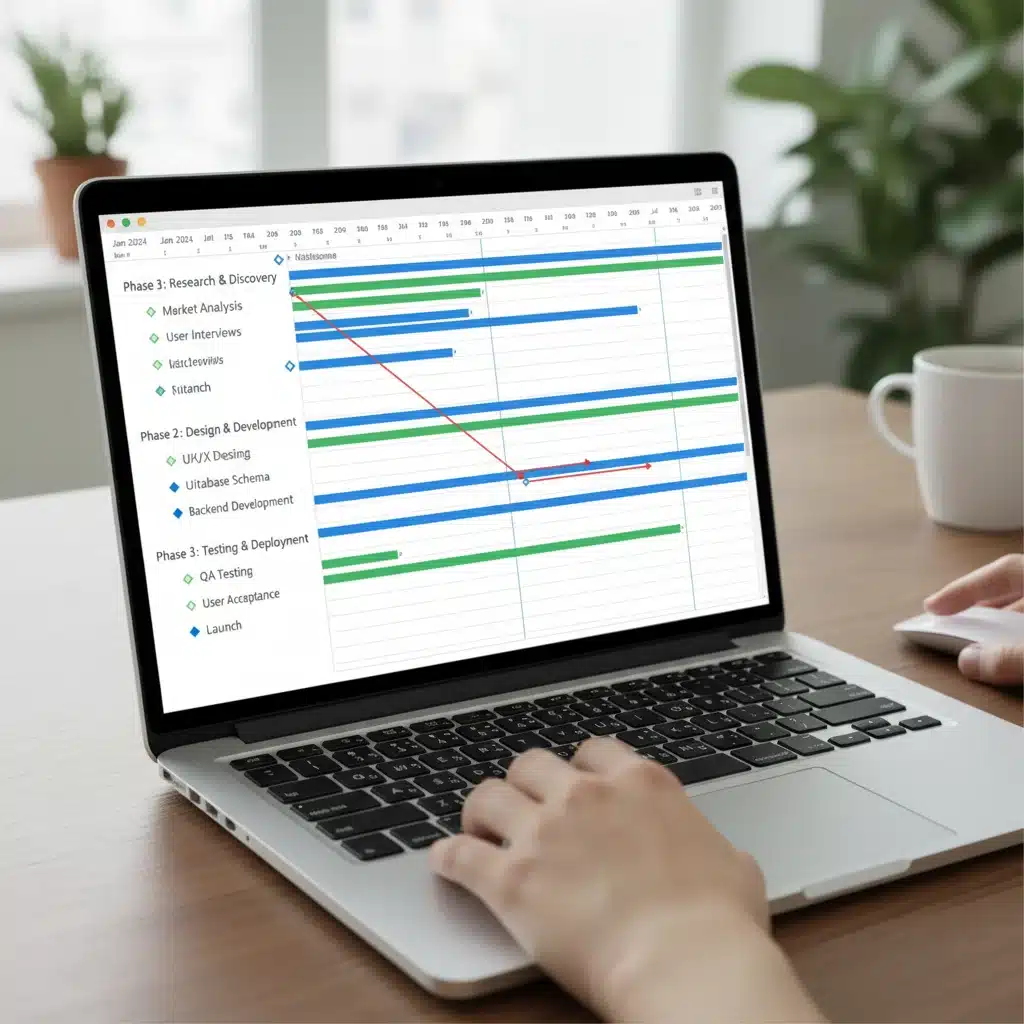
- Gantt Charts: Visual timelines that show project schedules, task dependencies, and progress. Essential for critical path analysis.
- Kanban Boards: Visual workflows that show tasks moving through different stages (e.g., To Do, In Progress, Done). Ideal for agile teams.
These features are fundamental to any robust set of project management tools.
Collaboration and Communication Tools
Effective collaboration is the lifeblood of successful projects. Key features include:
- In-app messaging/chat: For quick discussions and clarifications.
- Comment sections: Attached to tasks, files, or projects for contextual feedback.
- File sharing and version control: Centralized storage for documents, with the ability to track changes and revert to previous versions.
- Shared calendars: To keep track of deadlines, meetings, and milestones.
- Meeting management: Agendas, notes, and action items integration.
The more integrated these communication features are, the less context-switching team members will have to do, enhancing productivity when using project management tools.
Reporting and Analytics
Data-driven decision-making is crucial. Look for tools that offer:
- Customizable dashboards: To visualize key performance indicators (KPIs) at a glance.
- Progress reports: Detailed breakdowns of task completion, budget spend, and timeline adherence.
- Resource utilization reports: To understand workload distribution and identify over/under-allocated resources.
- Time tracking: For accurate billing, payroll, and productivity analysis.
- Budget tracking: To monitor expenses against planned budgets.
Robust reporting capabilities transform raw project data into actionable insights, making these project management tools invaluable.
Integrations with Other Software
No project management tool exists in a vacuum. It should seamlessly integrate with other essential business applications your team uses, such as:
- Communication platforms: Slack, Microsoft Teams.
- CRM software: Salesforce, HubSpot.
- Development tools: Jira, GitHub.
- Cloud storage: Google Drive, Dropbox, OneDrive.
- Email: Outlook, Gmail.
Strong integrations prevent data silos and ensure a smooth, interconnected workflow across different platforms, maximizing the utility of your project management tools.
Security and Data Privacy
Given the sensitive nature of project data, security is paramount. Ensure the chosen tool offers:
- Data encryption: Both in transit and at rest.
- Access controls and permissions: Granular control over who can view, edit, or delete information.
- Regular backups: To prevent data loss.
- Compliance certifications: (e.g., ISO 27001, GDPR) relevant to your industry and region.
These security features are non-negotiable for any reputable project management tool.
Top Project Management Tools in the Market
The market for project management tools is vast and diverse, catering to different team sizes, methodologies, and budgets. Here’s a look at some of the leading contenders and what makes them stand out:
1. Asana: For Flexible Task and Workflow Management
Asana is renowned for its flexibility and user-friendly interface, making it suitable for teams of all sizes. It offers multiple project views, including lists, boards (Kanban), timelines (Gantt-like), and calendars. Asana excels in task management, allowing for detailed task creation, subtasks, dependencies, and custom fields. Its robust automation features help streamline routine processes, and its extensive integrations with popular apps like Slack, Google Drive, and Zoom make it a powerful hub for collaboration. Asana is particularly strong for teams looking for versatile project management tools that can adapt to various workflows.
2. Jira: The Agile Powerhouse for Software Development
Developed by Atlassian, Jira is the go-to choice for software development teams employing agile methodologies like Scrum and Kanban. It offers specialized features for backlog management, sprint planning, bug tracking, and release management. Jira’s highly customizable workflows and powerful reporting capabilities provide deep insights into the development process. While it can be complex for non-technical users, its integration with other Atlassian products like Confluence and Bitbucket creates a comprehensive ecosystem for software teams. Jira is an indispensable set of project management tools for developers.
3. Trello: Simple, Visual, and Collaborative Kanban Boards
Trello, also an Atlassian product, stands out for its simplicity and visual appeal, built around the Kanban board methodology. Projects are represented as boards, with tasks as cards that can be moved across lists (e.g., To Do, Doing, Done). Its intuitive drag-and-drop interface makes it incredibly easy to use, even for beginners. Trello is excellent for small teams, personal task management, and projects that benefit from a highly visual workflow. While less feature-rich than some alternatives, its ‘Power-Ups’ (integrations) extend its functionality significantly, making it a versatile entry-level option among project management tools.
4. Monday.com: Visual Work OS for Comprehensive Project Tracking
Monday.com markets itself as a Work OS (Operating System), offering a highly visual and customizable platform for managing diverse workflows and projects. Its strength lies in its intuitive interface, vibrant color-coding, and versatile board layouts that can be adapted for almost any use case – from marketing campaigns to product roadmaps. It offers extensive automation capabilities, robust reporting, and integrations with numerous third-party applications. Monday.com is ideal for teams seeking a highly visual, flexible, and all-in-one solution among project management tools.
5. Microsoft Project: Enterprise-Grade Project Portfolio Management
For large organizations and complex projects requiring advanced scheduling, resource management, and portfolio analysis, Microsoft Project remains a dominant force. It offers sophisticated Gantt chart capabilities, critical path analysis, and powerful resource leveling features. While it has a steeper learning curve, its integration with the Microsoft ecosystem (Office 365, Teams) makes it a natural choice for enterprises already heavily invested in Microsoft products. Microsoft Project is a comprehensive suite of project management tools for seasoned professionals and large-scale initiatives.
6. ClickUp: All-in-One Productivity Platform
ClickUp aims to replace multiple apps with its all-in-one productivity platform. It offers an incredibly wide range of features, including task management, docs, whiteboards, goals, time tracking, and more than 15 different views (list, board, box, Gantt, calendar, etc.). Its high level of customization allows teams to tailor the platform to their exact needs, making it suitable for a vast array of industries and project types. ClickUp’s ambition to be the single source of truth for all work makes it a compelling option for those seeking comprehensive project management tools.
Implementing Project Management Tools: Best Practices
Simply purchasing a project management tool is not enough; successful implementation requires a strategic approach. Here are some best practices to ensure your investment yields maximum returns:
1. Define Your Needs and Goals
Before selecting any tool, clearly articulate your project management challenges, objectives, and the specific features your team requires. What problems are you trying to solve? What methodologies do you use? What’s your budget? A thorough needs assessment will guide you toward the most appropriate project management tools.
2. Start Small and Scale Up
Don’t try to implement every feature on day one. Begin with a pilot project or a small team to test the chosen tool’s capabilities and gather feedback. This iterative approach allows you to identify what works and what doesn’t, making adjustments before a full-scale rollout. Gradual adoption increases the chances of success for your project management tools.
3. Provide Comprehensive Training
Even the most intuitive tool requires some training. Invest in workshops, tutorials, and ongoing support to ensure all team members are comfortable and proficient with the new platform. Highlight how the tool will benefit their individual work and the project as a whole. Proper training is critical for maximizing the utility of project management tools.
4. Establish Clear Guidelines and Workflows
To maintain consistency and avoid confusion, establish clear guidelines for how the tool should be used. Define naming conventions for tasks, project structures, communication protocols, and reporting requirements. Document these workflows and make them accessible to everyone. Consistent usage is key to unlocking the full potential of your project management tools.
5. Encourage Adoption and Lead by Example
Leadership buy-in and active participation are crucial. Project managers and team leads should consistently use the tool, demonstrating its value and encouraging team members to do the same. Celebrate successes achieved through the tool and address any resistance or challenges constructively. A culture of adoption is vital for the long-term success of any project management tool implementation.
6. Regularly Review and Optimize
The project management landscape is constantly evolving, and so are your team’s needs. Periodically review how your project management tools are being used. Gather feedback, analyze usage data, and identify areas for optimization. Are there features being underutilized? Are there new features that could enhance your workflow? Continuous improvement ensures the tool remains relevant and effective.
The Future of Project Management Tools
The evolution of project management tools is far from over. Several key trends are shaping their future:
- AI and Machine Learning: Expect more advanced AI-driven insights, such as predictive analytics for project risks, automated task assignments based on workload, and intelligent recommendations for resource optimization.
- No-Code/Low-Code Automation: Tools will become even easier to customize and automate workflows without requiring extensive coding knowledge, empowering more users to build tailored solutions.
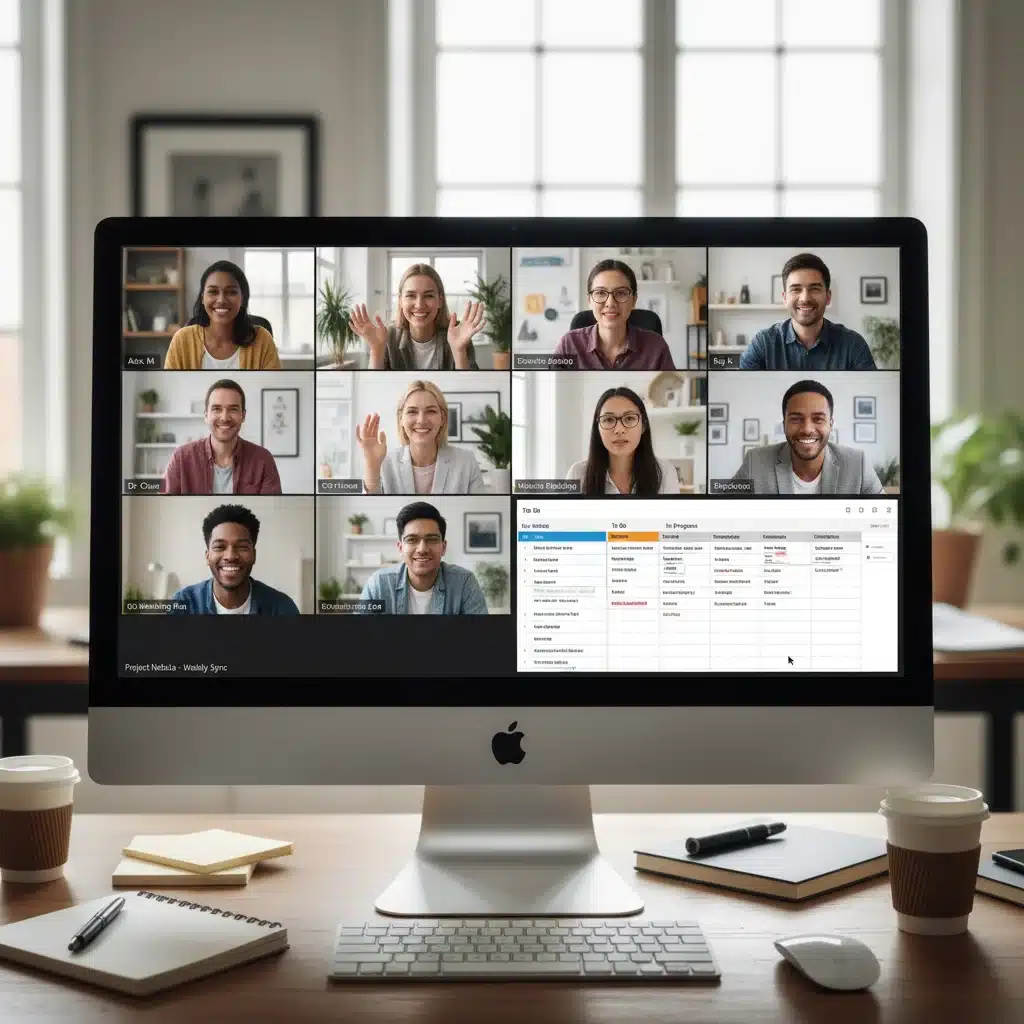
- Enhanced Collaboration for Hybrid Work: As hybrid work models become standard, project management tools will further integrate sophisticated features for virtual collaboration, including advanced video conferencing integration, digital whiteboards, and real-time co-editing.
- Integrated Work Management Platforms: The trend towards all-in-one ‘Work OS’ platforms will continue, aiming to consolidate project management, communication, document management, and other business functions into a single, unified interface.
- Hyper-Personalization: Tools will offer even greater customization options, allowing individual users and teams to tailor their dashboards, notifications, and workflows to their specific preferences and roles.
- Emphasis on Employee Well-being: Future project management tools may incorporate features to monitor team workload and well-being, helping to prevent burnout and promote a healthier work-life balance.
These advancements promise to make project management tools even more powerful, intelligent, and indispensable for navigating the complexities of modern projects.